ZapVox
Transcribe, translate and summarize WhatsApp Web voice notes with AI
Want more than that? 3 paths — 2 of them free
From fastest to most complete. Any one works; you can combine all three.
Path 1 — Refer a friend FREE · 2 MIN
- Open ZapVox and click the “Invite and earn 7 Pro days” section.
- Copy your link and send it to a friend (on WhatsApp, naturally).
- When they install and sign up through your link, you earn 7 days of Pro — and they get 7 extra trial days.
Path 2 — Bring your own AI key (BYOK) FREE · 5 MIN
You create a free key at Groq (the AI provider behind transcription) and paste it into ZapVox. Transcription then runs on your key, straight from your browser — without ZapVox's daily limit. Four steps, and no card required.
1. Create the Groq account
Open console.groq.com/keys. You can sign in with Google, GitHub or email.
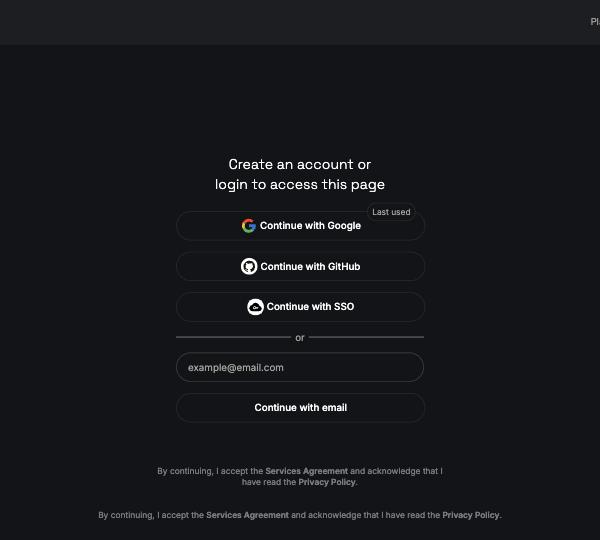
This is the screen you get when you don't have an account yet.
2. Click “Create API Key”
Once signed in you land on the API Keys page. The button sits on the right.
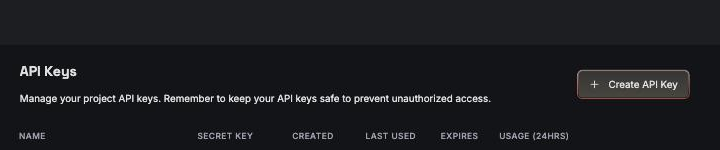
An empty page is normal — you have no keys yet.
3. Name it and confirm
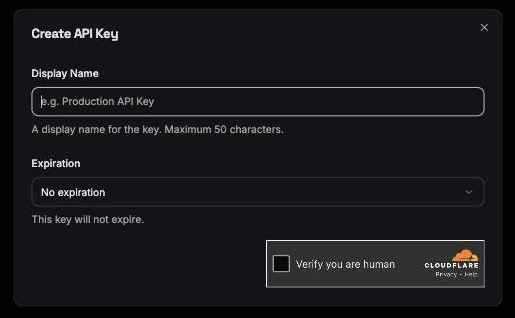
- Display Name: anything you'll recognise later — “ZapVox”, say.
- Expiration: “No expiration” is fine. Pick a date and the key stops working on it.
- Tick “Verify you are human” and confirm.
- Copy the key right away. It starts with
gsk_and Groq shows the full value only once — after that you only see its last characters.
4. Paste it into ZapVox
In the ZapVox panel: 🎙️ Transcription → 🔑 API tab → Configure keys. Paste it in the Groq field.
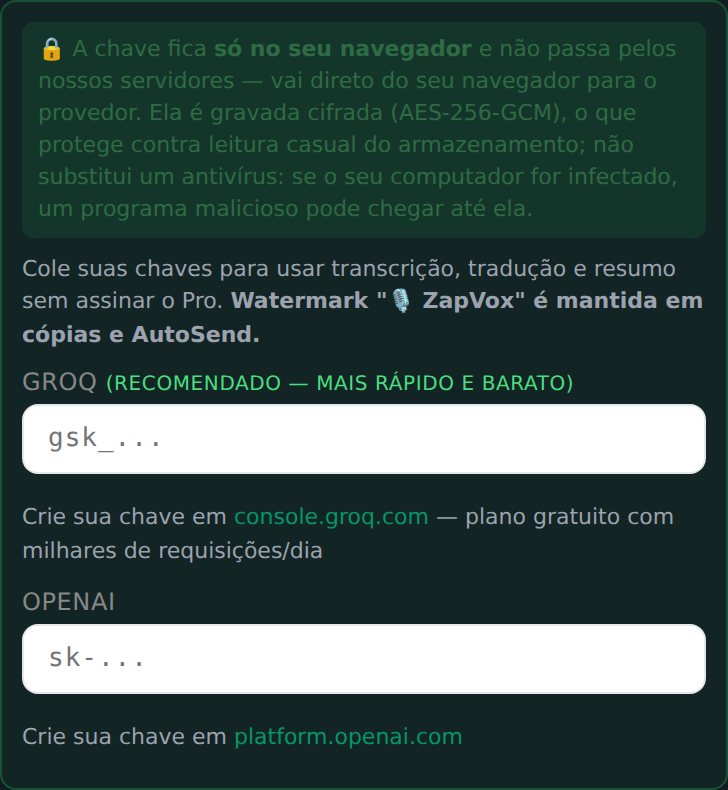
The key is tested on the spot. If it's right, the field confirms on its own.
How much does the free key give you?
These are the limits Groq's rate-limit page published on 31 Aug 2026 for the whisper-large-v3-turbo transcription model on the free plan:
| Limit | Groq free plan | Roughly |
|---|---|---|
| Audio per hour | 7,200 seconds | 2 hours of audio |
| Audio per day | 28,800 seconds | 8 hours of audio |
| Requests per minute | 20 | 20 audios in a row |
| Requests per day | 2,000 | 2,000 audios |
These numbers are Groq's, not ours, and were valid on the date above.
Path 3 — ZapVox Pro R$ 29.90/MO
- Much higher transcription limits, auto-translation, summaries, sentiment analysis, daily digest, glossary and audio search.
- No watermark on copies and sends.
- First month at 75% off on the monthly plans, automatic, no code needed (discount applies to the 1st charge only).